
Health checks
Record each step with your occupational health provider, and see who is due, overdue or still needs a first check.
Health checks are carried out by your occupational health provider. In OHS you record each step with the provider, and the register shows every employee's status, such as First check needed, Scheduled, Due within 30 days or Overdue.
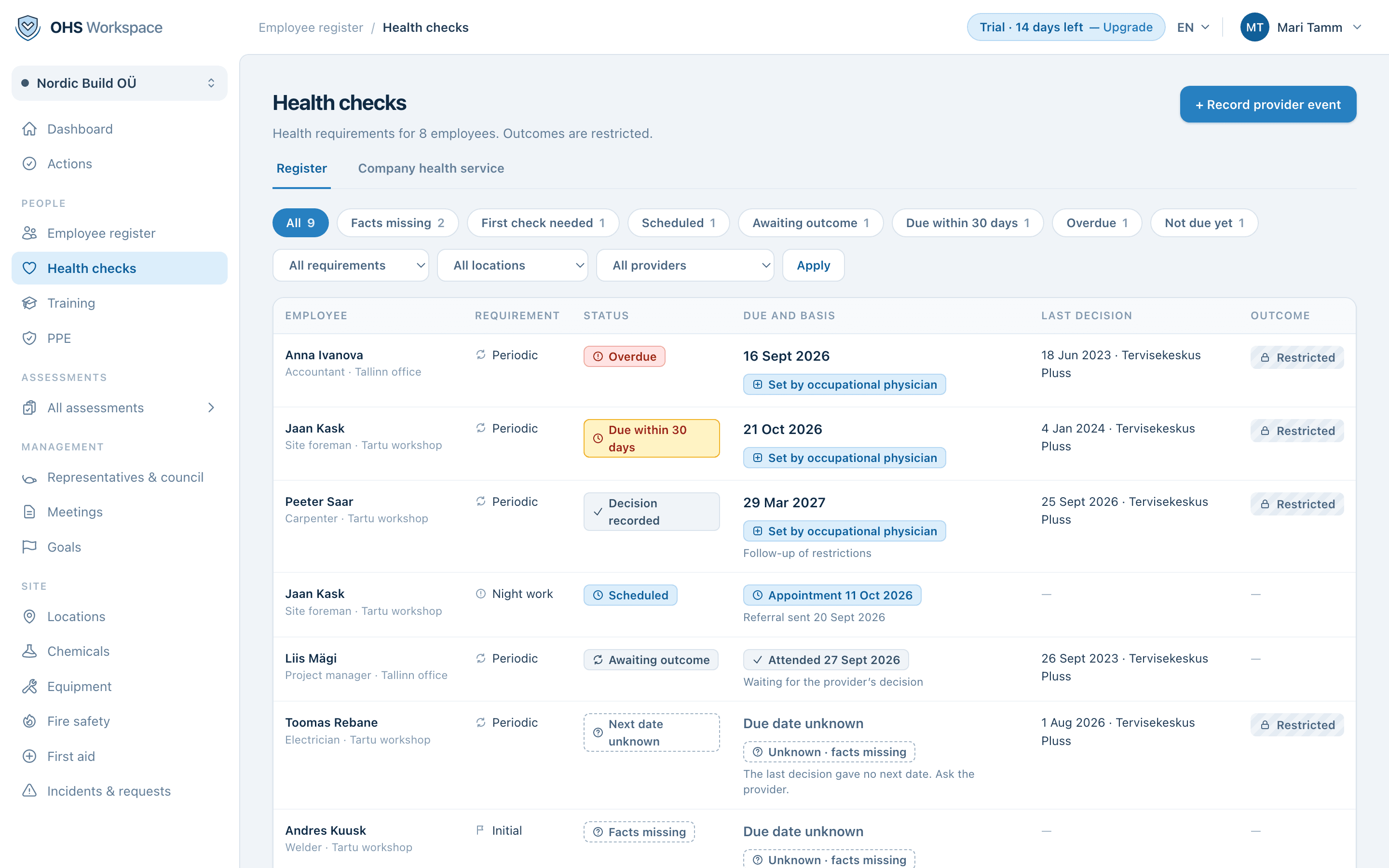
- 1Record a provider event
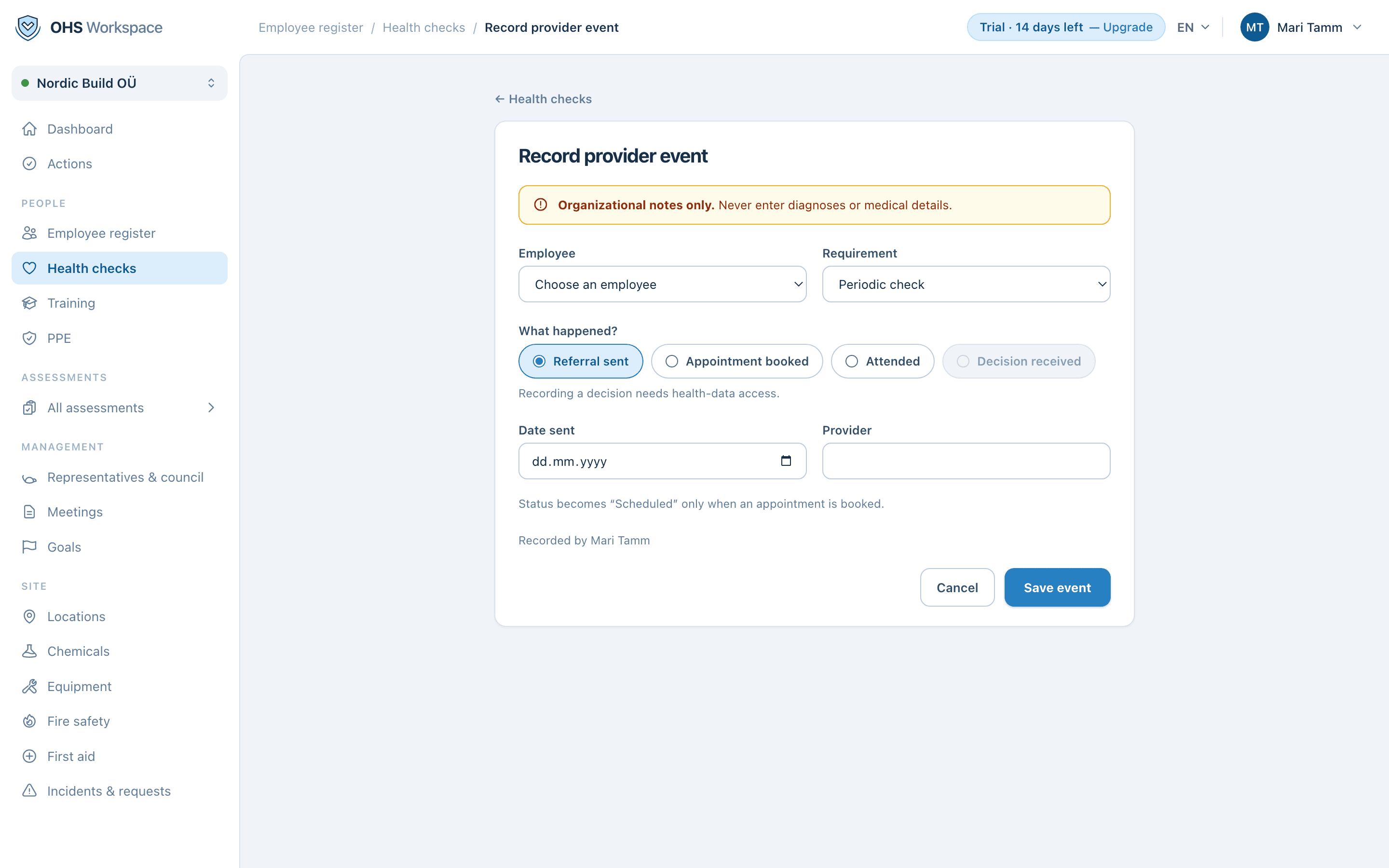
People → Health checks → Record provider event. Pick the employee and what happened: referral sent, appointment booked, attended or decision received.
- 2Set the next date from the decision
With a decision, enter the next date the physician set, or use a company policy date. OHS never fills in a default interval: without a date, the status reads Next date unknown. Recording a decision needs health-data access.
- 3Set up first checks
First checks are worked out from each employee's start date and your company's first-check policy, set under Company health service. If either is missing, the register says what to add.
Reminders
Employees get email reminders 90, 30 and 7 days before a check is due, on the due date, and then up to five more while it's overdue: the day after the due date and every 14 days from then. The email is in their own language and carries the date only, never the outcome. No reminder goes out while an appointment is booked or the provider's decision is awaited. Owners, admins and OHS leads get a summary email on the days a check newly reaches one of those steps. It counts the checks that are overdue or coming up and names nobody. Managers can also send a reminder by hand, and the employee's health page shows whether it was sent. The owner or an admin can turn these reminders off under Settings → Reminders, where the delivery log lists every email and what happened to it.
Tell us about your company, and we’ll help you get started.