
Workstation assessments
Per-employee display screen & work environment assessment on the guided form.
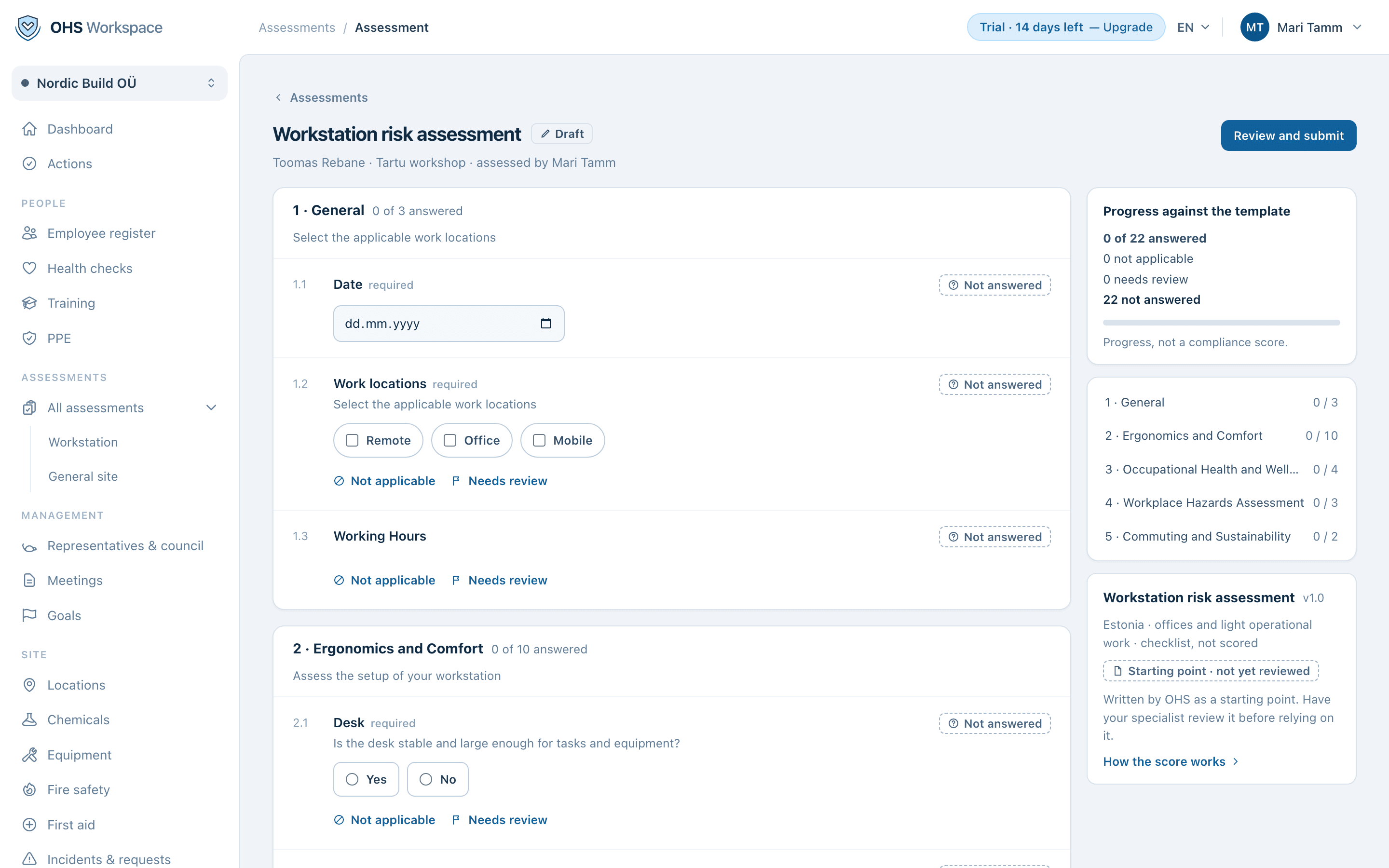
A workstation assessment is made per employee. The stock Estonian template covers display screen work and the working environment in 7 sections, and branches for remote, office, and mobile work — the employee's actual situation decides which questions appear.
- 1Start from a template
Assessments → New assessment → pick the workstation template and the employee.
- 2Fill the guided form
Answers autosave as you go — leave and come back any time. Conditional sections appear based on earlier answers, so nobody wades through irrelevant questions.
- 3Score the risks
Where a hazard needs scoring, you set consequence × likelihood and the risk score computes as you type, with the band shown immediately: acceptable, adequate, tolerable, or unacceptable.
- 4Review and submit
Review and submit checks that every required question has an answer, or is marked not applicable with a reason. Confirm the findings are yours, and if you like, send the assessment to an owner or admin to approve for the company. Submitted assessments are locked — see the assessment engine for how corrections work.
Tell us about your company, and we’ll help you get started.